[MHL] Captain Nohook - Application Security Challenge
Introduction
The main goal of this challenge was bypassing multiple client-side protections, such as anti-debugging and jailbreak detection in an iOS app. On top of that, the flag was never displayed or stored on the device in plaintext: it was hardcoded in the binary in encrypted form and only decrypted at runtime. Therefore, the solution required hooking the functions that would capture it in memory, which is presumably where the challenge's name, "Captain No Hook", comes from.
Challenge
Welcome to the iOS Application Security Lab: Captain No Hook Anti-Debugging Challenge. This challenge focuses on a fictitious app called Captain No Hook, which implements advanced anti-debugging / jailbreak detection techniques. Your objective is to bypass these protections and retrieve the hidden flag within the app.
Table of Contents
Analyzing the App
First Contact
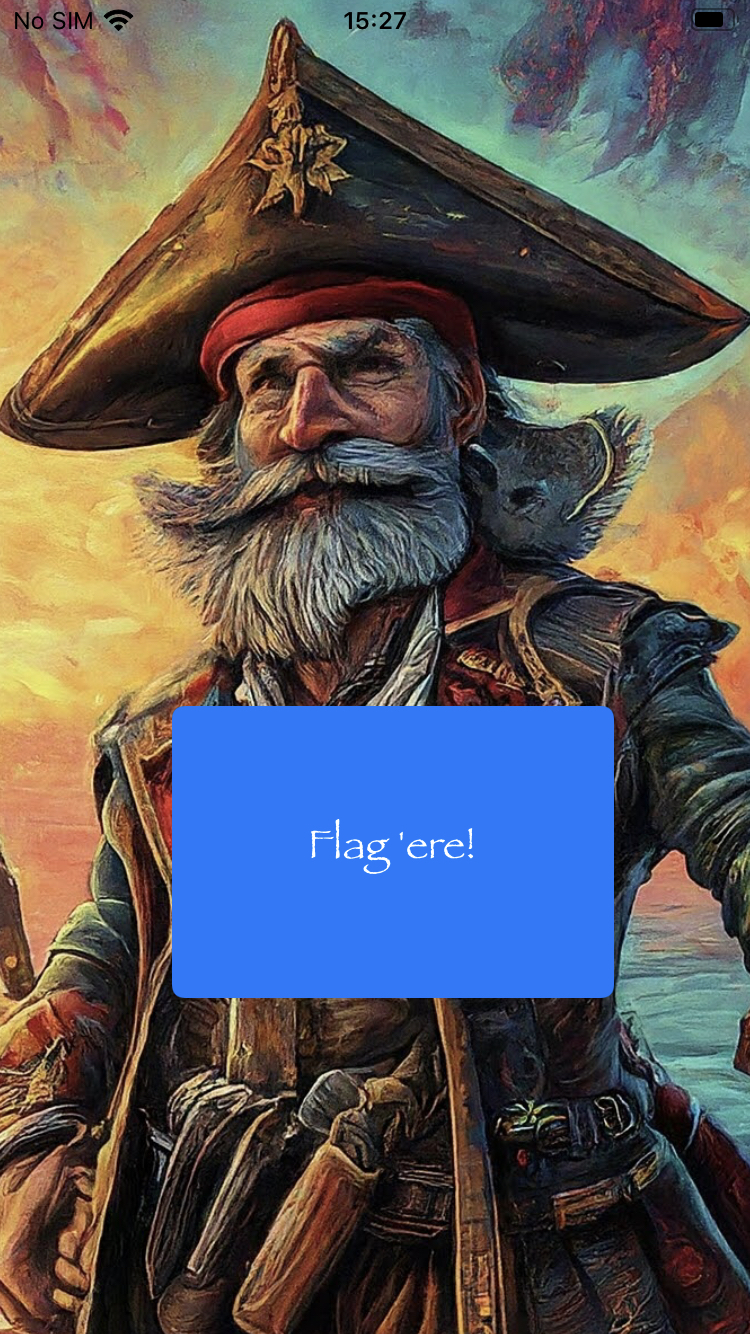
As usual, I sideloaded the IPA on my jailbroken device. Opening the app and clicking the button to get the flag immediately throws an alert: "Noncompliant device detected! Yerr hook won't work!". That error string is the entry point for the whole analysis.
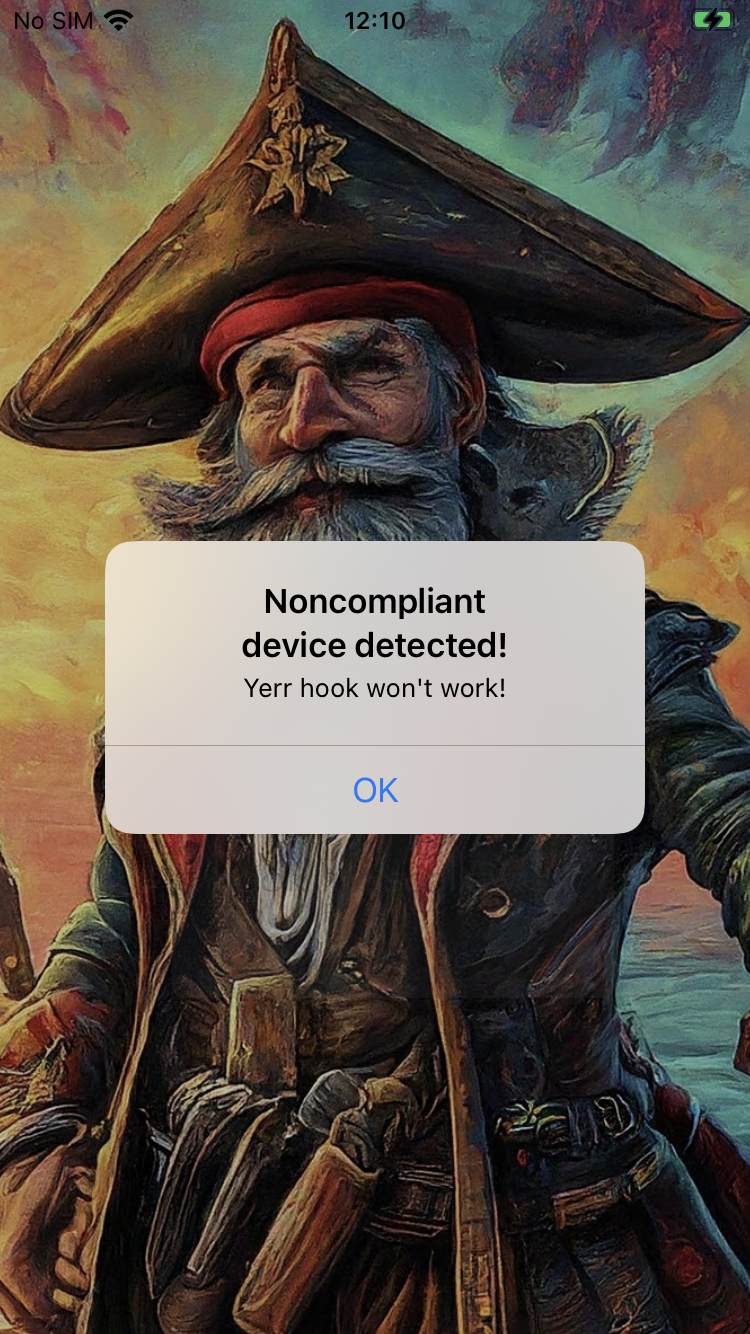
On the attacker's side: every time you see an error message pointing at a protection, that's a big hint of what to look for. In large, obfuscated apps it's usually hard to spot where a protection starts, but knowing where it ends is enough to trace it back.
On the defender's side: if you're building your own protection, it's best to hide as many traces as possible, including error messages and crashes, since both are effectively the "end of the trail" for an attacker. Prefer silent failures and conditional flows instead, redirect the user to a specific screen, or simply fail every attempt with the same generic message—for example, return "Wrong credential" and block the login while masking the protection as a generic authentication error, maintaining a blind spot.
Reverse Engineering with Hopper
I loaded the binary into Hopper and searched for the error string in the Strings tab. Following references to the memory where the string is stored led me straight to the function behind the "get flag" button:
_$s14Captain_Nohook14ViewControllerC7getFlagSSyF
Simplifying the decompiled output down to what actually matters, the function starts like this:
if ((Captain_Nohook.is_noncompliant_device(r20) & 0x1) != 0x0) {
    r19[0x4f] = 0x0;
    r20 = type metadata accessor for __C.UIAlertController();
    r19[0xa3] = 0x1;
    r0 = Swift.String.init(r20, _builtinStringLiteral: "Noncompliant device detected!", utf8CodeUnitCount: 0x1d, isASCII: 0x1 & 0x1);
    // ...
So is_noncompliant_device() is the single boolean gate guarding the whole function, and the app keeps running the rest of getFlag() either way, it just pops the alert first when it thinks something is wrong.
Bypassing the Protections
is_noncompliant_device() doesn't do any checking itself, it just forwards to amIReverseEngineered():
bool _$s14Captain_Nohook22is_noncompliant_deviceSbyF(void * self) {
    r0 = type metadata accessor for Captain_Nohook.ReverseEngineeringToolsChecker();
    r0 = static Captain_Nohook.ReverseEngineeringToolsChecker.amIReverseEngineered(r0);
    r0 = r0 & 0x1;
    return r0;
}
amIReverseEngineered() calls performChecks(), which returns a boolean value indicating that everything looks clean (true), and since the outer function wants the opposite meaning it XORs with the return from nested function by 1 (a common bitwise trick for booleans).
bool _$s14Captain_Nohook30ReverseEngineeringToolsCheckerC20amIReverseEngineeredSbyFZ(void * self) {
    var_C = static Captain_Nohook.ReverseEngineeringToolsChecker.performChecks(self);
    r0 = (var_C ^ 0x1) & 0x1;
    return r0;
}
performChecks() is where the actual work happens, and there are many different kinds of validations. However, reversing and bypassing each one is not required, since all validations are returned to amIReverseEngineered() and forwarded once more in is_noncompliant_device(). So just overwriting the return of the outer function bypass the validation, similar to the No Escape Lab Solve.
var is_noncompliant_device = Module.findGlobalExportByName('$s14Captain_Nohook22is_noncompliant_deviceSbyF');

Interceptor.attach(is_noncompliant_device, {
    onEnter(args) {
        console.log(`Captain_Nohook.is_noncompliant_device`);
    },
    onLeave(retval) {
        retval.replace(0x00);
        console.log(`\t return ${retval}`);
    }
});
After solving the lab I was curious if anyone had bypassed every internal validation and documented the process and I found this good write-up worth reading as well.
Decrypting the Flag
Running the bypass killed the alert, but the button still didn't hand me a flag, because the alert was never what returned the flag, getFlag() was doing something else on the side.
Going back to Hopper, further down in the same function I found a base64-encoded blob being decoded, then passed through CryptoSwift.AES in CBC mode. Highlighting what matters I had the following decompiled code:
r19[0x42] = Swift.String.init(r20, _builtinStringLiteral: "HhRVZ1fdevIW2GfW42oy9J4XrAz330o5amXtNc/t8+s=", utf8CodeUnitCount: 0x2c, isASCII: 0x1 & 0x1);
// ....
if ((r8 & 0x1) == 0x0) {
	// ...
	if ((r8 & 0x1) == 0x0) {
		// ...
		if ((r8 & 0x1) == 0x0) {
			// ...
			Swift.String.init(r20, _builtinStringLiteral: "hackallthethings", utf8CodeUnitCount: 0x10, isASCII: 0x1 & 0x1);
			r20 = &var_A8;
			// ...
			if ((r8 & 0x1) == 0x0) {
				r19[0x17] = CryptoSwift.CBC.init(r20, iv: Foundation.Data.bytes.getter(r20));
				// ...
				r0 = CryptoSwift.AES.__allocating_init(r20);
				// ...
				if ((r8 & 0x1) == 0x0) {
					// ...
					r0 = Foundation.Data.bytes.getter(r20);
					// ...
					r0 = CryptoSwift.Cipher.decrypt(r20);
The key was sitting right there as a string literal ("hackallthethings"), but the IV wasn't; it was generated/fetched at runtime, so there were no static value to just copy out. Two ways to deal with that:
- hook the AES/CBC initializer to dump the IV, as other parameters as well, then decrypt myself in CyberChef; or
- skip reconstructing the crypto entirely and just hook the return of
CryptoSwift.Cipher.decrypt(), since by the time that function returns, the plaintext bytes already exist in memory.
I went with the second option because it's simpler:
var decrypt = Module.findGlobalExportByName('$s11CryptoSwift6CipherPAAE7decryptySays5UInt8VGAGKF');

Interceptor.attach(decrypt, {
    onEnter(args) {
        console.log(`[+] CryptoSwift.Cipher.decrypt()`);
    },
    onLeave(retval) {
        console.log(hexdump(ptr(retval), { length: 64 }));
        console.log('\n\n');
    }
});
During this solve I didn't figure out a way to get the string directly from the return value. From my researchers, that's because the return of the decrypt function is a native pointer to the beginning of a Swift object's in memory, not a C string. Therefore, built-in Frida decoders like
readUtf8String()orreadCString()end up reading the wrong bytes (first the Swift object header itself, rather than the raw string data). So the easiest solution I found was dumping enough bytes of memory starting atretval(hexdump(ptr(retval), { length: 64 })) to capture the complete object and the flag data in a more readable format.
Final Exploit
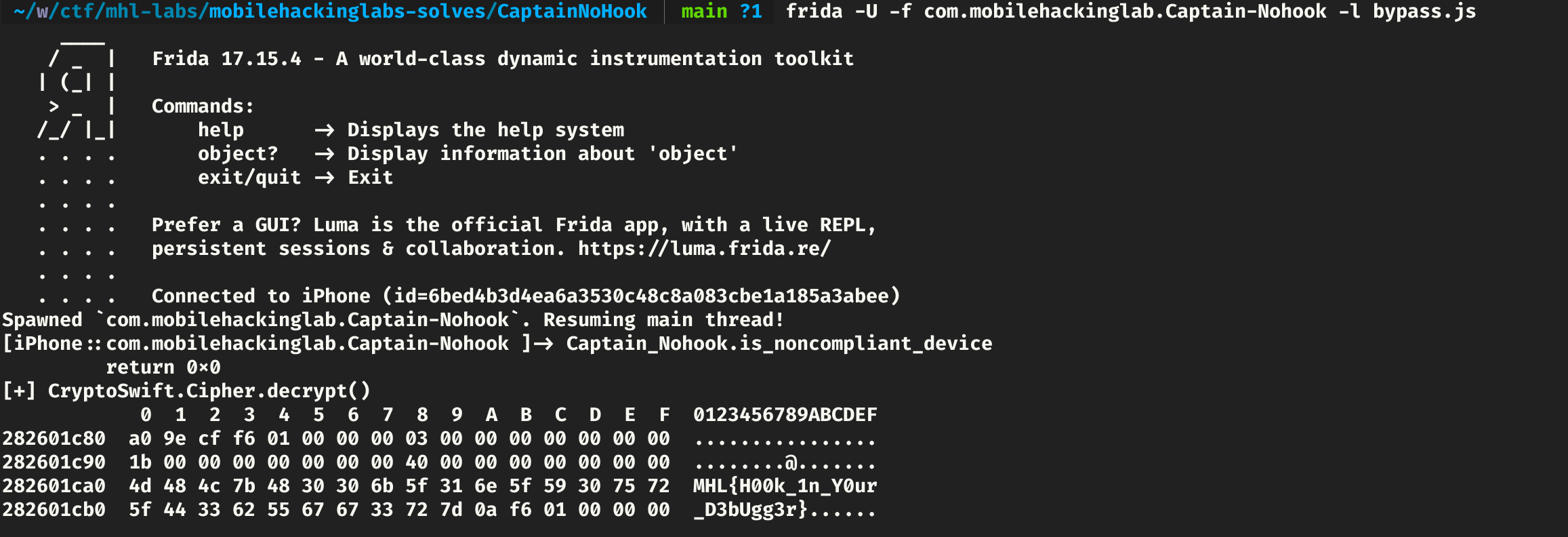
Combining both hooks (the is_noncompliant_device bypass and the decrypt dump) into a single script and running it against the app gives us the flag:
frida -U -f com.mobilehackinglab.Captain-Nohook -l bypass.js
Full script here: https://github.com/luca-regne/mobilehackinglabs-solves/blob/main/CaptainNoHook/bypass.js